
← Back to Home

Microsoldering Software & Resources

Successful board-level repair depends on knowing what each component does and where it connects. The software and reference tools below give you that visibility — from full schematic diagrams to diode mode measurements used to confirm a circuit is intact.
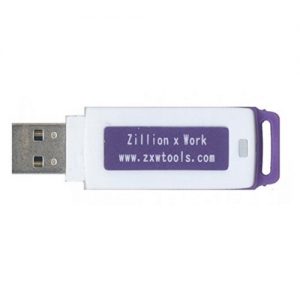
ZXW Tools dongle

ZXW Tools 4.0

Industry Standard

Subscription required

ZXW Tools (Zillion x Work) is the go-to schematic and bitmap software for iPhone, iPad, MacBook, and Samsung logic board repair. It shows you every trace, pad, and component on the board — what it connects to, what it does, and where to probe.

Version 4.0 includes Blackfish, an integrated schematic viewer with up-to-date coverage of the latest devices. When a new iPhone launches, ZXW typically has board-level diagrams available quickly — keeping your diagnostic capabilities current without waiting for third-party resources.

The software is free to download; a license is required to activate full access. Existing dongle-based v2.x licenses can be migrated to account-based activation.
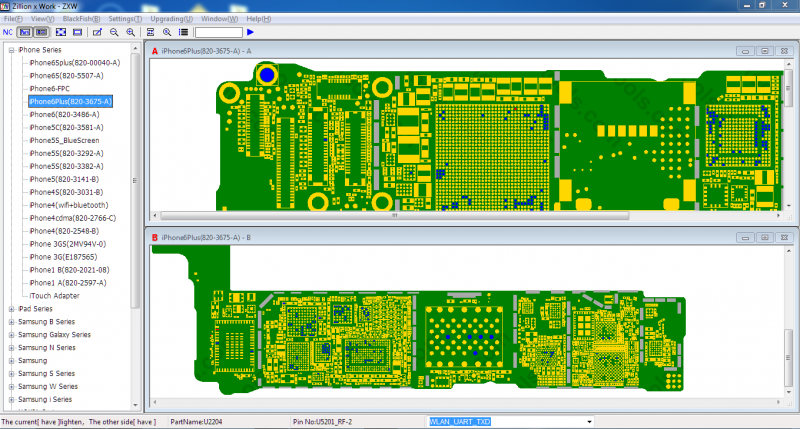
ZXW Tools schematic interface showing logic board component map

ZXW Tools bitmap view — trace signal paths and locate components directly on the board

Additional Resources

Repair Wiki

A community-maintained knowledge base covering common failure modes, repair procedures, and component-level fixes across iPhone, iPad, and MacBook models. A useful first stop when you encounter an unfamiliar symptom.
Visit Repair Wiki

LogiWiki

A reference database of diode mode measurements for iPhone, iPad, and MacBook boards. Diode mode readings let you compare known-good values against a board under test — making it much faster to identify shorted or open components.
Visit LogiWiki

iPhone & iPad Schematics

Official-style schematic diagrams showing circuit-level detail for Apple devices. Complements ZXW's bitmap view with a traditional schematic representation — useful for tracing signal paths and understanding sub-circuit behavior.
Visit iPhone & iPad Schematics

Phoneboard

A searchable database of logic board component identifiers and positions. Look up a component by its silkscreen label to see what it is, what rail it sits on, and where it connects.
Visit Phoneboard

Open Board View

A free, open-source board viewer for MacBook repair. Opens .brd files from public board dumps to give you an interactive map of every component and net on Apple laptop logic boards.
Visit Open Board View

Data Recovery Software

Once a board is stabilized and the storage is accessible, data recovery tools help extract user data from NAND flash and eMMC storage. Multiple solutions exist depending on the device type and level of damage.
Visit Data Recovery Software